 Panelize
Ask every AI at once.
Compare the answers side by side.
Panelize puts ChatGPT, Claude, Gemini, DeepSeek and any custom AI site or API in one window. Type once, hit Send All, and see which answer is best.
Free · Open source (MIT) · No API keys required — or add any AI site & API · Chrome & Edge
New in 2.2
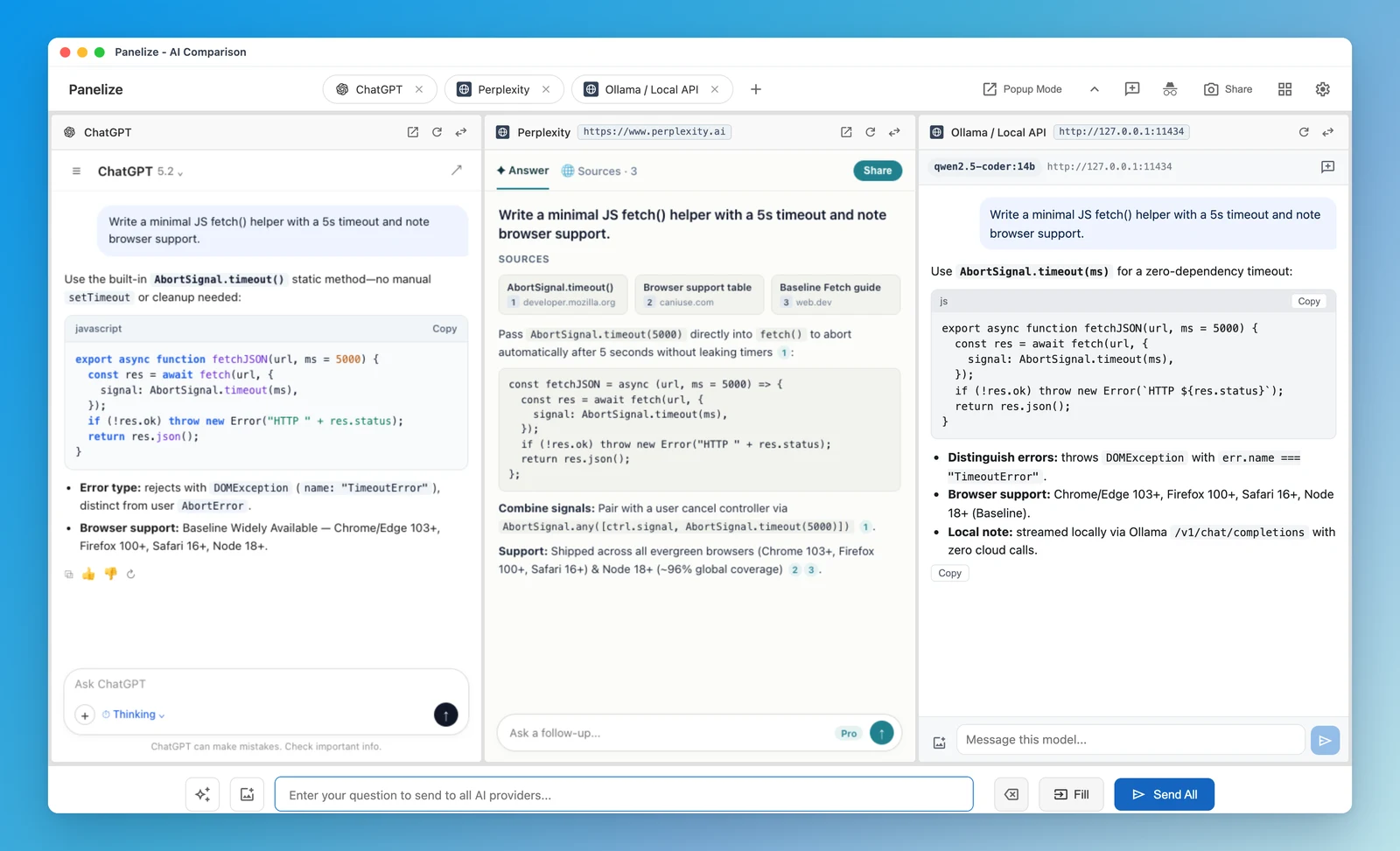
Add almost any AI website or OpenAI-compatible API
Go beyond the built-in lineup. Embed almost any web chat app or plug in local and cloud model APIs—all inside the same comparison grid.
- Almost any AI website: paste
Perplexity,Mistral,Poe,muse.ai(Meta Muse) or self-hostedOpen WebUIand use your normal login. - Local & cloud APIs: connect
Ollamawith zero CORS setup,LM Studio,vLLM,OpenRouterorDeepSeek API, with auto/modelsdiscovery and local-only key storage. - Hybrid comparison: run your paid
ChatGPT PlusandClaude Proweb accounts right next to custom sites and local weights in one window.
See setup recipes for Perplexity, Ollama, OpenRouter & more →
New in 2.0
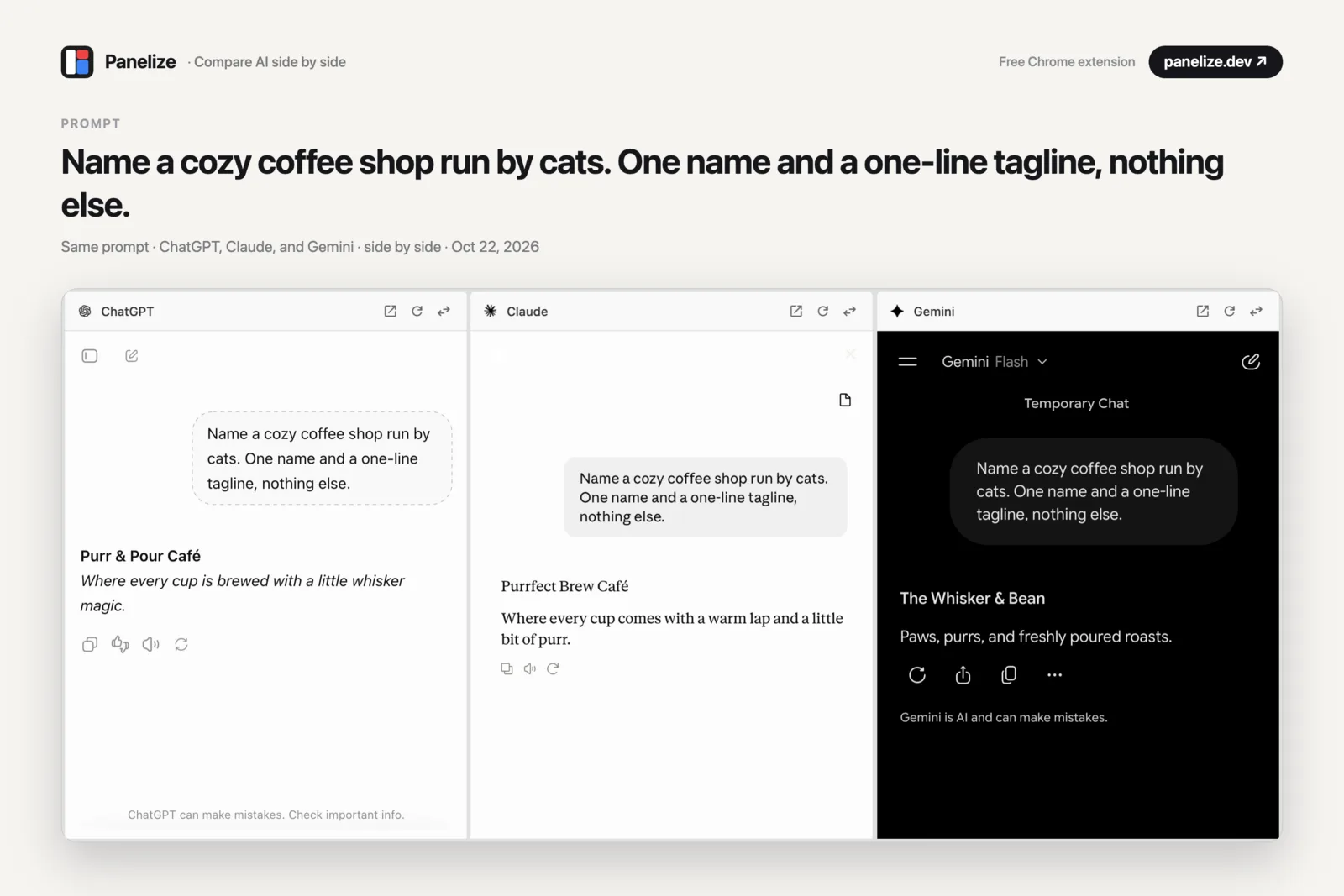
Share the whole comparison as one image
Click Share and Panelize turns every panel into one clean image, with your prompt as the headline. Post it, drop it in a group chat, or keep it as a record.
- Current view or full answers: capture what's on screen, or every answer from top to bottom.
- Your headline: the prompt is the title by default, and you can edit it before saving.
- Download or copy: save a PNG or paste it straight into a post. The image stays on your device.
13 built-in AI chat services plus Google AI Mode
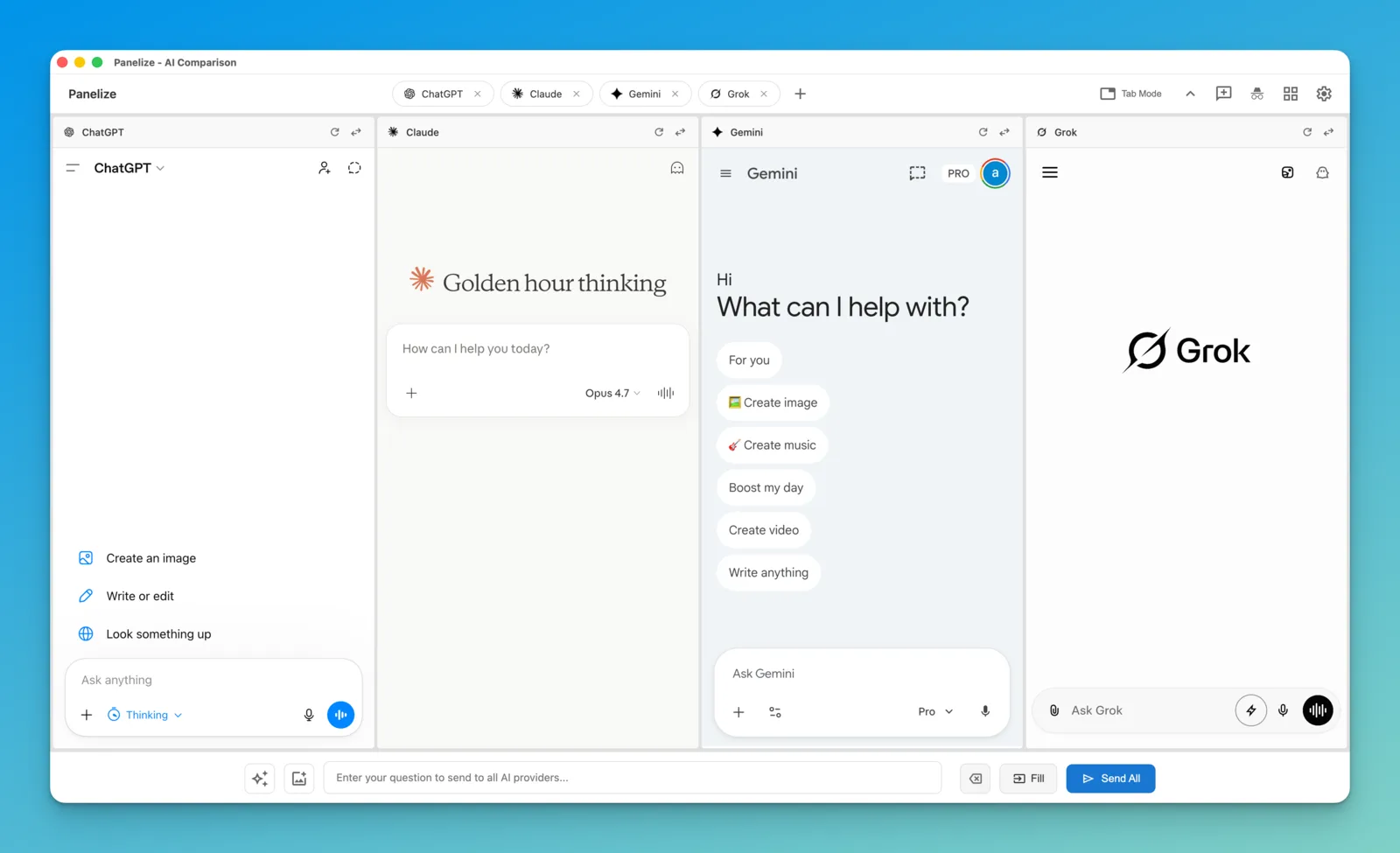
Built-in panels load each provider's real website, so new models show up the day they ship—plus add almost any custom AI site or API.
- ChatGPT
- Claude
- Gemini
- Grok
- DeepSeek
- Kimi
- Qwen (China)
- Qwen (Global)
- Doubao
- Zhipu
- Z.ai
- Yuanbao
- Google AI Studio
- Google AI Mode
Want Perplexity, Mistral, Poe, Open WebUI or local Ollama? Add them in Settings in 30 seconds →
Built for people who use more than one AI
Stop copy-pasting the same prompt into tab after tab.
Ask once, compare all
One input box sends your prompt to every panel at the same time.
No API keys required
Built-in logins work as-is with ChatGPT Plus or Claude Pro—or optionally add any custom AI website and OpenAI-compatible API.
22 layouts
From a quick 1×2 comparison to 12 AIs on screen at once.
Prompt library
Save prompts with variables like {topic} and reuse them across every provider.
One-click privacy mode
Switch every supported provider to a temporary chat in one click.
Zero data collection
The extension has no server, no analytics and no tracking. MIT-licensed and open source.
Why compare answers?
Different AIs give surprisingly different answers to the same question. Seeing them side by side makes the gaps obvious.
- Writing: get three drafts, keep the best one.
- Coding: cross-check a fix and spot the model that's making things up.
- Research: where the answers agree, trust goes up. Where they differ, that's what you verify.
Up and running in a minute
No accounts to create, nothing to configure.
Install
Add Panelize from the Chrome Web Store. It works in Edge too.
Open
Press Cmd/Ctrl + Shift + E and pick your AIs and a layout.
Ask
Type once, click Send All, and compare.
FAQ
Is Panelize free?
Yes. It's free and open source under the MIT license. You only need your own (free or paid) accounts on the AI sites you want to use, or any local/API endpoints you choose to connect.
Do I need API keys?
No API keys are required. Every built-in panel and custom AI website loads the provider's real site with your normal login, so whatever free or paid plan you have works as-is. If you want to test raw or local models, you can optionally connect OpenAI-compatible APIs such as Ollama (no key needed) or OpenRouter (keys stay strictly on your device in IndexedDB).
Can I add Perplexity, Ollama, OpenRouter or other AI services?
Yes. In Panelize 2.2+, click + in the toolbar or open Settings → Add custom AI to add almost any AI website (Perplexity, Mistral Le Chat, Poe, HuggingChat, Open WebUI) or any OpenAI-compatible API (local Ollama with zero CORS setup, LM Studio, vLLM, OpenRouter, DeepSeek API). See the custom AI & API setup guide.
Does Panelize see my chats?
No. The extension has no server and no analytics. Everything stays in your browser, optional API keys remain strictly local in IndexedDB on your device, and the code is public on GitHub. (This website uses cookieless Cloudflare Web Analytics for page view counts only.)
Which browsers are supported?
Chrome and Microsoft Edge, both installed from the Chrome Web Store.
How is Panelize different from ChatHub or ChatALL?
ChatHub and ChatALL put all models behind their own chat interface. Panelize shows each provider's real official website with your normal login—keeping your plan, model picker and chat history intact—and also lets you mix custom AI websites and OpenAI-compatible APIs side by side in the same window. See the comparison of AI side-by-side tools.
A provider stopped working. What now?
AI sites change often. Please open an issue on GitHub and it'll get fixed in the next release.