 Panelize
Panelize › ChatHub alternative
A free ChatHub alternative that uses your existing AI accounts
ChatHub is one of the best-known ways to chat with several AI models at once. If you would rather keep using the ChatGPT, Claude and Gemini accounts you already have, at no extra cost, Panelize is a free, open-source alternative.
Panelize vs ChatHub at a glance
| Panelize | ChatHub | |
|---|---|---|
| Price | Free | Extension with a paid subscription that unlocks access to 20+ models |
| How it reaches the AI | Loads each provider's official website in a panel, signed in with your normal login | Built-in chat interface; can also use your own API keys on a pay-as-you-go basis |
| API keys | Not needed | Optional |
| Providers | ChatGPT, Claude, Gemini, Grok, DeepSeek, Kimi, Qwen, Doubao, Zhipu, Z.ai, Yuanbao, Google AI Mode | ChatGPT, Gemini, Claude, Llama and more, plus custom OpenAI-compatible chatbots |
| Panels on screen | Up to 12, in 22 layouts | Several chatbots side by side |
| Chat history | Stays in each provider's own account history | Local history with full-text search |
ChatHub details come from its Chrome Web Store listing as of October 2026 and may change. Check the listing for current plans.
The key difference: real websites vs. a unified chat app
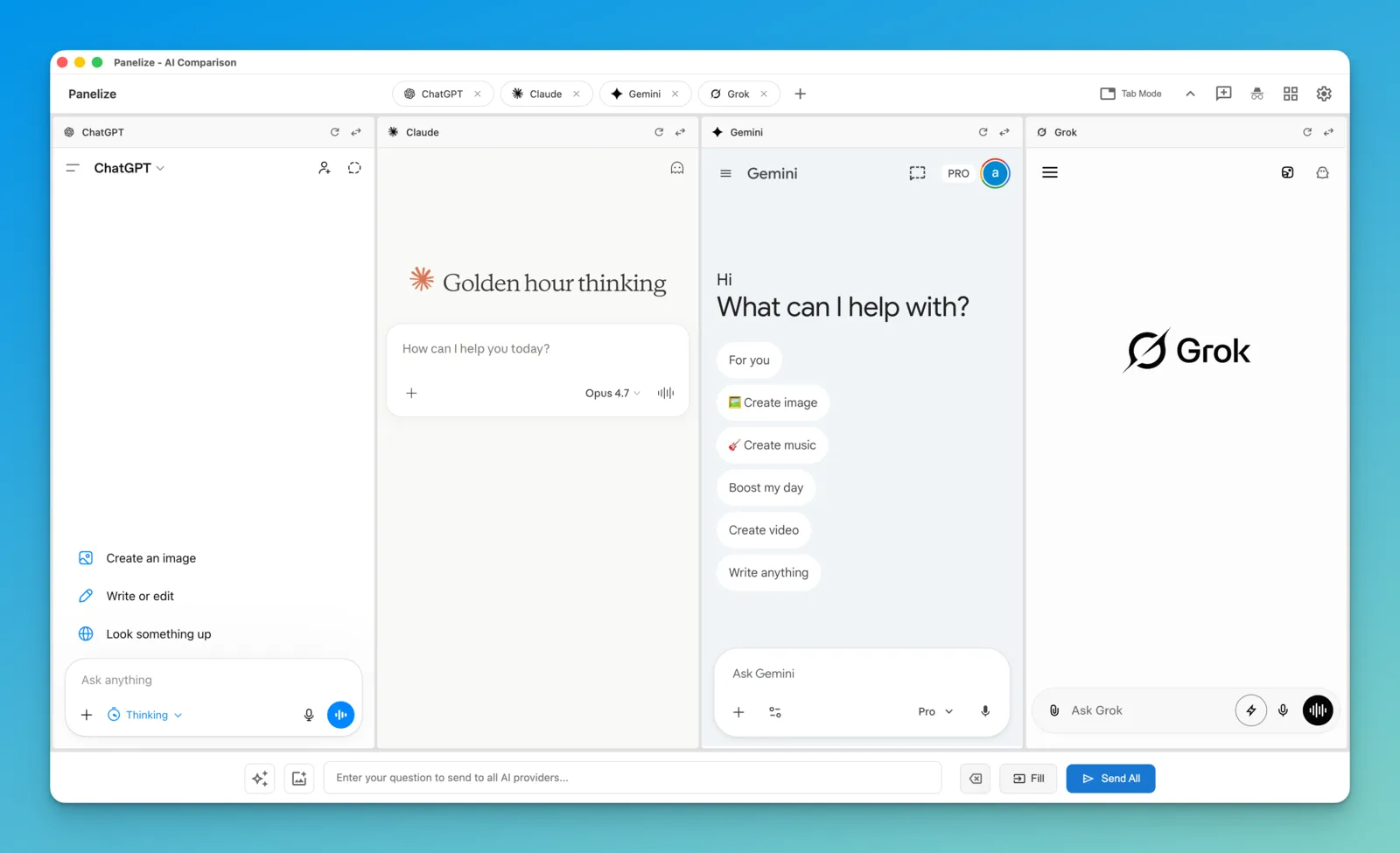
ChatHub gives you one chat interface in front of many models. Panelize takes a different approach: every panel is the provider's real website. You type once in Panelize's input bar and it is sent to every panel.
That has a few practical consequences:
- Your existing plans just work. If you pay for ChatGPT Plus, Claude Pro or Google AI Pro, the panel uses that plan, including its model picker and limits. There is nothing extra to buy.
- New models show up on day one. When a provider ships a new model on its website, you can pick it in the panel right away.
- Conversations stay where they belong. Each chat is saved in that provider's own history, so you can continue it later on the website or in the mobile app.
- The trade-off: Panelize depends on each site's layout. When a provider redesigns its site, a panel can stop working until Panelize is updated. There is also no single search across all your chats.
When ChatHub is the better fit
- You want one subscription instead of separate accounts on each AI site.
- You want to plug in your own API keys or OpenAI-compatible models.
- You want a single, searchable history of all your multi-model chats.
When Panelize is the better fit
- You already have free or paid accounts on ChatGPT, Claude, Gemini or others and don't want to pay again.
- You want Chinese AI assistants such as DeepSeek, Kimi, Doubao, Qwen, Zhipu and Yuanbao next to the Western ones.
- You want up to 12 AIs on one screen.
- You prefer an MIT-licensed extension with no server and no analytics inside the extension.
How to switch in two minutes
- Install Panelize from the Chrome Web Store. It works in Chrome and Edge.
- Make sure you are logged in to the AI sites you want to use in a normal tab.
- Press Cmd/Ctrl + Shift + E, pick your providers and a layout.
- Type a prompt and click Send All.
Free, open source, no API keys.
Add Panelize to Chrome