 Panelize
Panelize › ChatALL alternative
A ChatALL alternative that runs in your browser
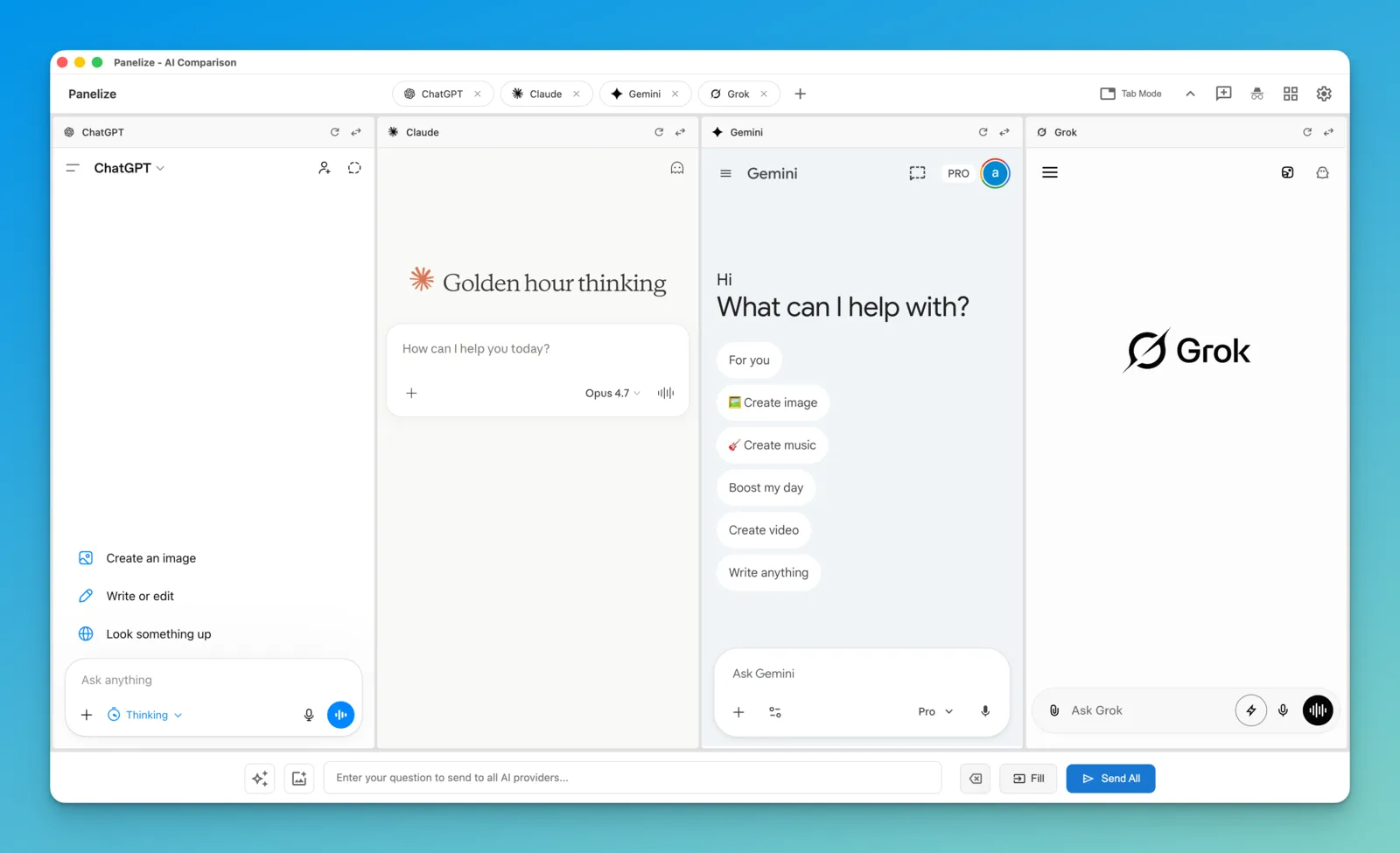
Short answer: if you want to ask ChatGPT, Claude, Gemini, DeepSeek and other AI chatbots the same question at once without installing a desktop app, Panelize is a free, open-source Chrome and Edge extension that does it with the accounts you are already logged into. No API keys needed.
ChatALL (齐叨) is a popular open-source desktop app that sends one prompt to many AI bots and shows the answers together. It pioneered this idea. Its last release, v1.85.110, came out on May 22, 2025, and many of the bots it lists, such as Bing Chat and Bard, have since been renamed or retired. If you are looking for something that keeps up with today's chatbots, here is how Panelize compares.
Panelize vs ChatALL at a glance
| Panelize | ChatALL | |
|---|---|---|
| What it is | Chrome / Edge extension | Desktop app for Windows, macOS and Linux |
| Price | Free, MIT license | Free, Apache-2.0 license |
| How it reaches the AI | Loads each provider's official website in a panel, signed in with your normal browser login | Connects to each bot through its web session or its API, inside the app's own interface |
| API keys | Not needed | Needed for API-based bots, which its README recommends for reliability |
| Latest release | 2.0.0, October 22, 2026 | v1.85.110, May 22, 2025 |
| Chat history | Stays in each provider's own account | Saved locally on your computer |
| Panels on screen | Up to 12, in 22 layouts | Several bots in one view |
ChatALL details come from its GitHub repository and releases page as of October 2026.
The key difference: the real website vs. a reverse-engineered connection
ChatALL talks to each chatbot from inside its own app. Its README is candid that web-connected bots "rely on reverse engineering" and often break when a provider changes its site, and it recommends API access instead, which means API keys and pay-per-use billing.
Panelize avoids both. Each panel is the provider's website, so the chat, the model picker, file uploads and your paid plan all work as they do in a normal tab. Panelize only types your prompt into every panel and presses send.
- No API keys, no extra bill. Free accounts work, and ChatGPT Plus, Claude Pro or Google AI Pro work with their own models and limits.
- New models on day one. When a provider adds a model to its website, you can pick it in the panel immediately.
- Nothing to install outside the browser. It runs in Chrome and Edge on any desktop OS.
- The trade-off: Panelize still depends on each site's layout to type and send. When a provider redesigns, a panel can need an update. Your history lives in each provider's account, not in one local archive.
When ChatALL is the better fit
- You want a standalone desktop app rather than a browser extension.
- You want every conversation saved in one local history on your computer.
- You mainly use API-based models and already have the keys.
When Panelize is the better fit
- You want to use the ChatGPT, Claude, Gemini, Grok or DeepSeek accounts you already have, free or paid.
- You want current chatbots, including Chinese ones like DeepSeek, Kimi, Doubao, Qwen, Zhipu and Yuanbao, next to the Western ones.
- You want up to 12 AIs on one screen in a layout you choose.
- You prefer an extension with no server and no analytics inside it.
How to switch
- Install Panelize from the Chrome Web Store. It works in Chrome and Edge.
- Log in to the AI sites you want to use in normal tabs.
- Press Cmd/Ctrl + Shift + E, pick your providers and a layout.
- Type a prompt and click Send All.
FAQ
Is ChatALL still maintained?
Its repository is still public, but the latest release is v1.85.110 from May 22, 2025, and the most recent commit on its main branch is from September 2025. Check the releases page for the current status.
Is there a free alternative to ChatALL?
Yes. Panelize is a free, MIT-licensed Chrome and Edge extension that sends one prompt to ChatGPT, Claude, Gemini, Grok, DeepSeek, Kimi and more, and shows the answers side by side.
Does Panelize need API keys like ChatALL's API bots?
No. Each panel is the provider's own website, signed in with your normal login, so there are no API keys and no pay-per-use charges.
Does Panelize work on macOS, Windows and Linux?
Yes, anywhere desktop Chrome or Microsoft Edge runs.
Free, open source, no API keys.
Add Panelize to Chrome